The ClientPortal
A production client portal Montanye Creative builds and operates for engagements — project tracking, invoicing, live delivery feeds, and analytics, on a real modern stack. Part product tour, part proof of craft.
- Role
- Architecture & build (solo)
- Type
- Full-stack web app
- Stack
- Next.js · React · Postgres
- Status
- In production
Not a bolted-on SaaS template — a product the studio owns
The portal is a custom application built and operated for client engagements: a calm place for clients to track work, ideas, invoices, and outcomes, and a real production app that shows how the studio ships software.
Access is invite-only and passwordless. The goal was a polished client experience backed by production-grade engineering — the same class of concerns (auth, sessions, sanitization, backups, integrations) you would bring to any serious app, not a template with the logo swapped.
The system
// deliberately boring in the best way: proven vendors, clear boundaries
Platform & delivery
Next.js 16 · App Router
React 19
Vercel · edge, analytics, speed insights
Tailwind + Radix primitives
GSAP · motion
Data & storage
Neon Postgres · projects, tickets, invoices
Vercel Blob · file uploads
Weekly S3 backups · automated
Auth & access
Better Auth · passwordless email OTP
Postmark · transactional email
Server-gated sessions · allowlisted
reCAPTCHA v3
Content & forms
TipTap + DOMPurify · sanitized rich text
react-hook-form + Zod · validation
cmdk · command palette
Integrations
GitHub App + Octokit · commit sync
Google Analytics 4 · Data API
Stripe · billing / payments
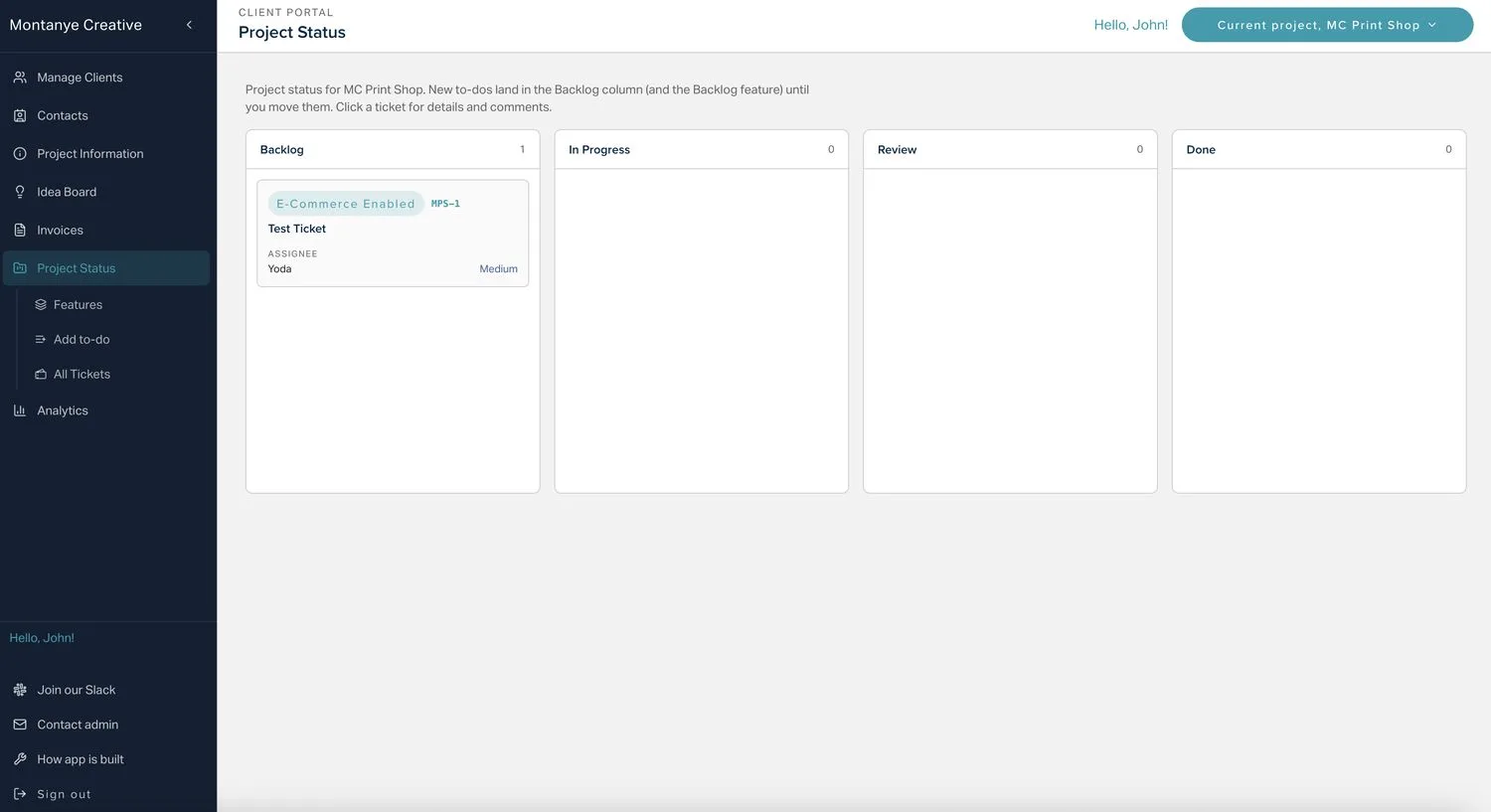
A lightweight kanban with the collaboration teams actually use
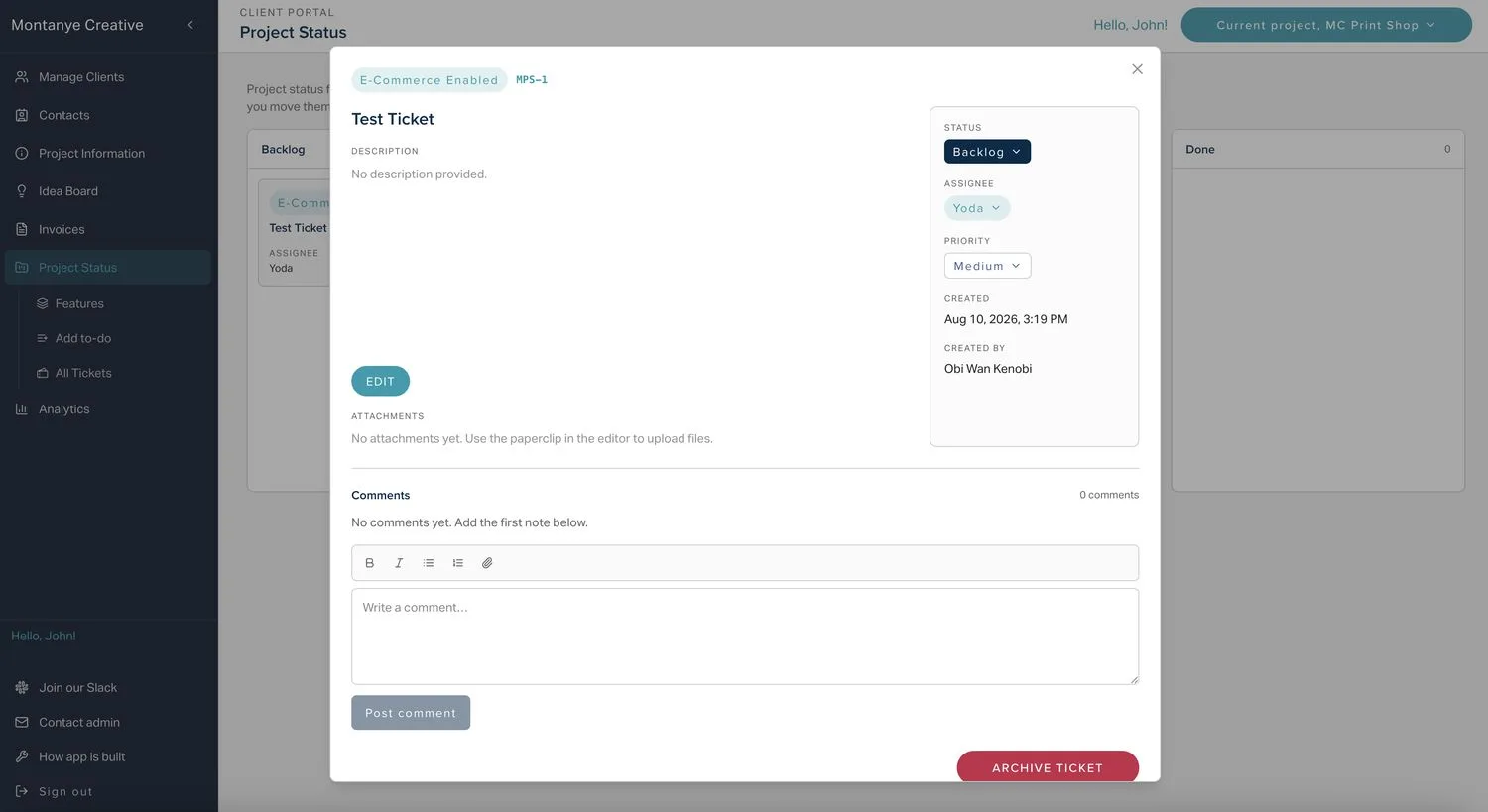
Delivery runs on a drag-and-drop board across Backlog, In Progress, Review, and Done, with features grouping related tickets. Every ticket carries status, assignee, priority, a rich-text description, threaded comments, and file attachments.
An All Tickets view keeps a searchable, filterable inventory — by status, priority, assignee, or feature — including archived work that has left the board, so nothing is ever lost.
- Drag & drop
- Comments
- Attachments (Blob)
- Searchable archive
A single source of truth, with a live development feed
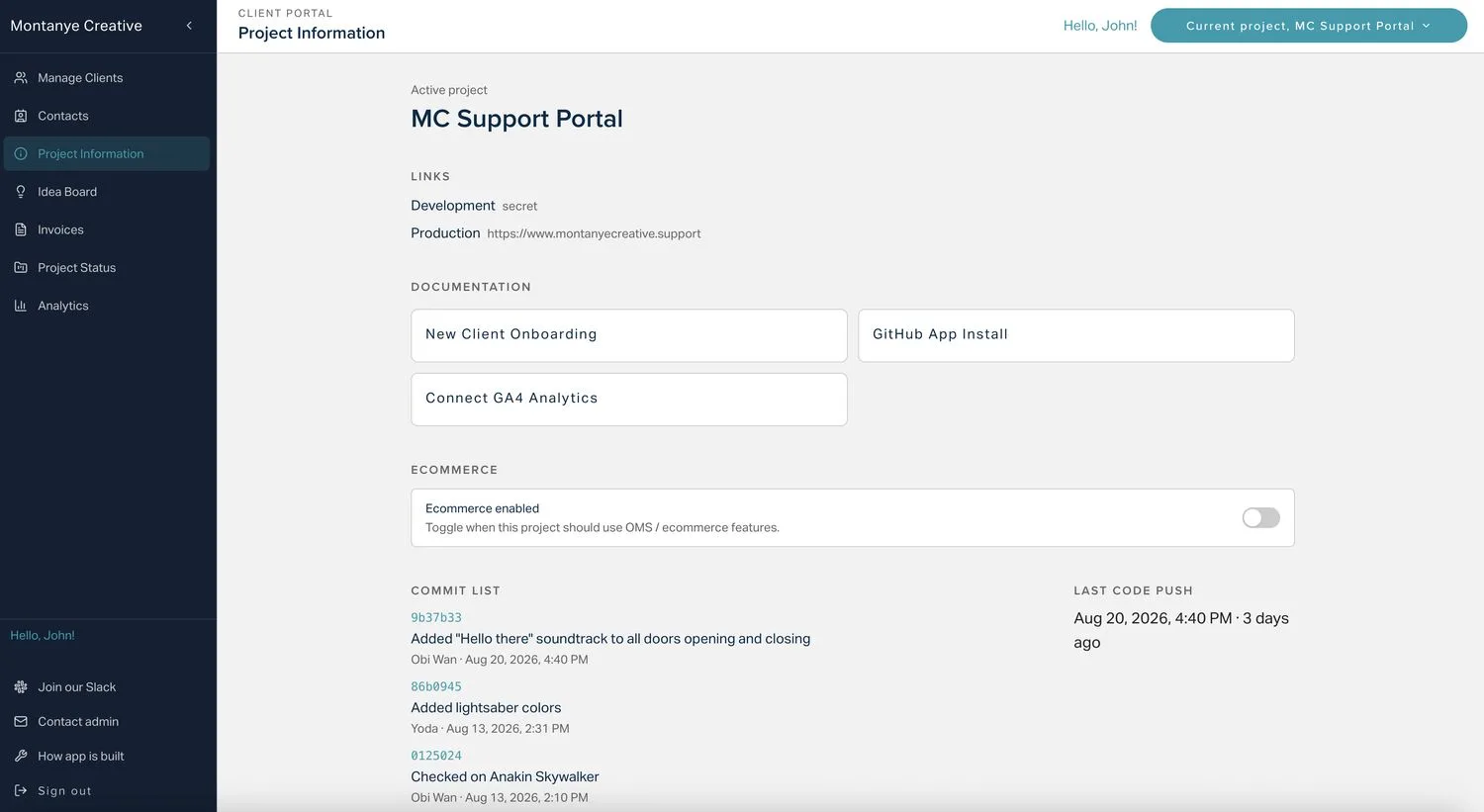
Each project keeps its environment links, brand context, documentation, and an e-commerce toggle in one place. A GitHub App syncs recent commits straight into the portal, so clients can see shipping activity and exactly when the last code push went live — without ever opening a repository.
Multi-project accounts switch context from the header without losing the rest of the portal.
- GitHub App + Octokit
- Live commit feed
- Multi-project
Billing lives in the same product as the work
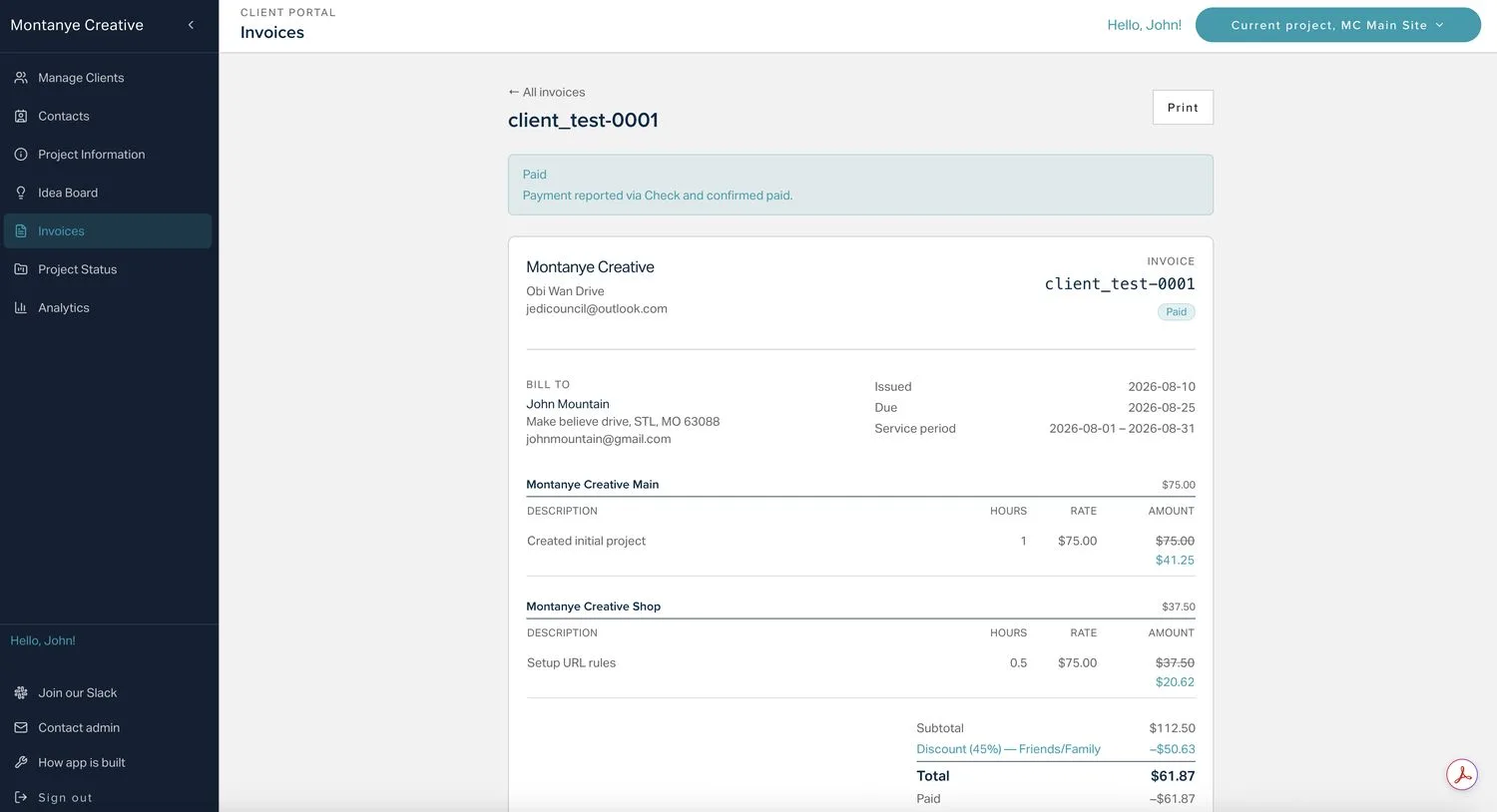
No second system to hunt for an invoice. Account-scoped invoices carry line items, discounts, status, and printable documents. Clients can report a payment as sent so follow-up never gets stuck in email limbo, and the studio marks it paid when funds clear.
Drafting, line items, bill-to details, issuing, and payment reporting all run inside the portal, with Stripe wired in for payments.
- Line items & discounts
- Printable invoices
- Payment reporting
- Stripe
Just enough signal, without the full GA console
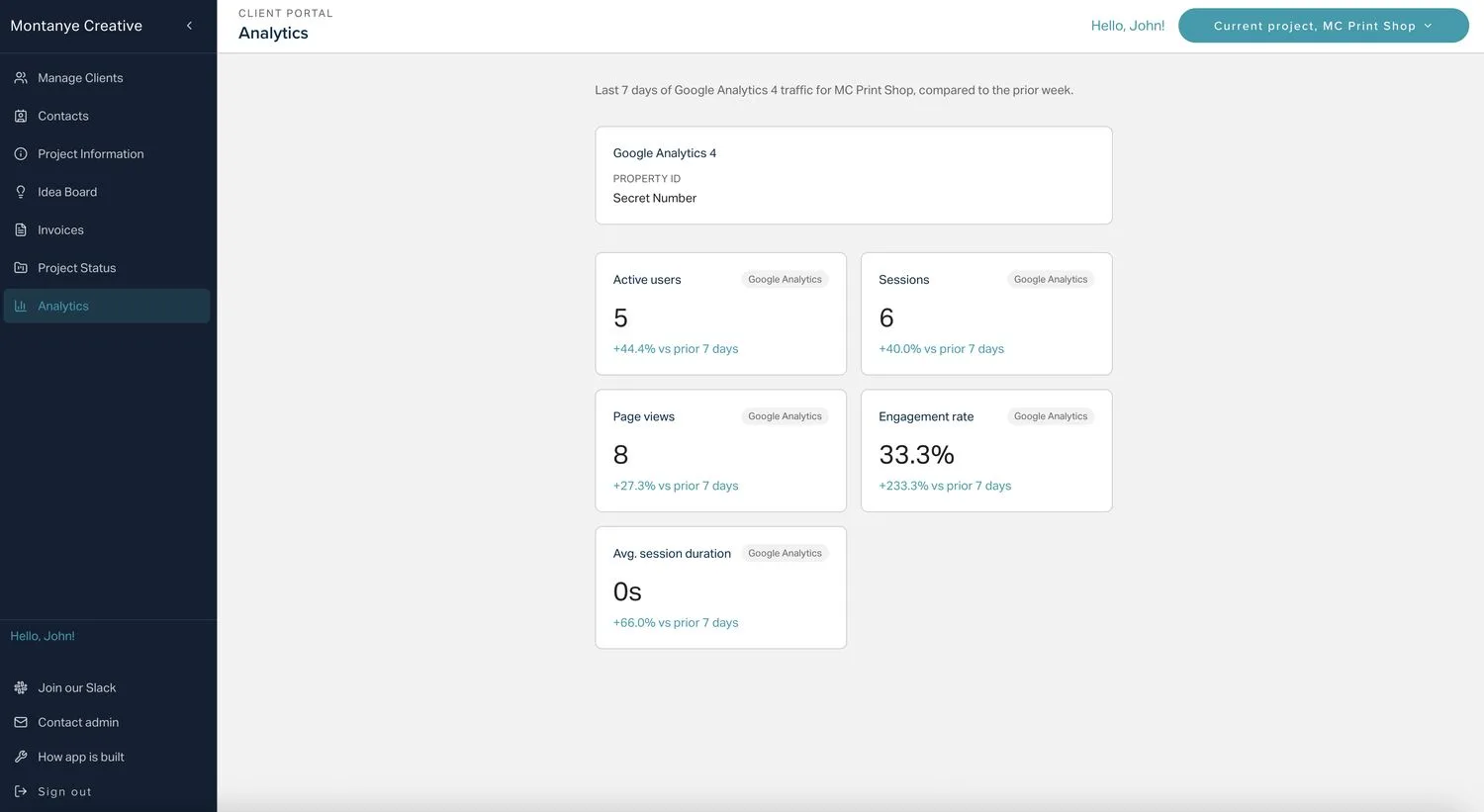
When a project links its Google Analytics 4 property, the portal pulls traffic through the official Data API: a last-7-days snapshot with week-over-week comparison across active users, sessions, page views, engagement, and session duration.
Each engagement links its own GA4 property, so the numbers always stay scoped to the right site — enough to orient a weekly conversation without dumping a client into the full console.
- GA4 Data API
- Week-over-week
- Per-project scope
Passwordless in, production-grade underneath
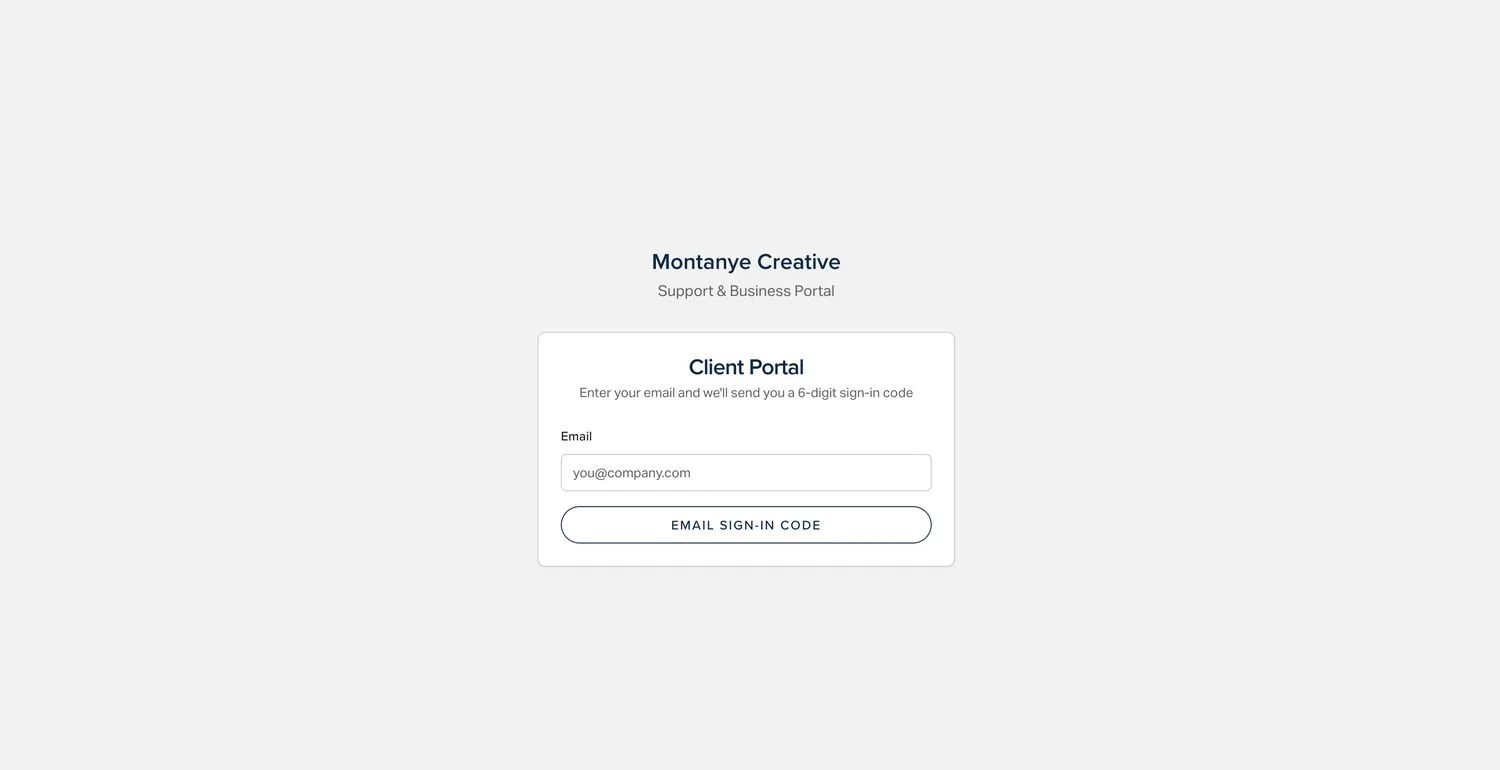
Sign-in is passwordless: enter your email, receive a six-digit code through Postmark, and you are in — no passwords to reuse or leak. Sessions are server-gated and access is allowlisted, so the product is built for approved collaborators, not open registration.
The portal is role-aware — clients see their engagement while the studio operates across active projects from the same shell. Data lives in Neon Postgres with automatic weekly backups to S3.
- Better Auth · OTP
- Server-gated sessions
- Role-aware
- Weekly S3 backups
Proof of craft, end to end
Full-stack ownership
Architecture, data model, UI, and delivery — designed and shipped solo, in production.
Real production concerns
Passwordless auth, server-gated sessions, input sanitization, bot protection, and automated backups.
Third-party integration
GitHub, Google Analytics 4, Stripe, and Postmark wired into a coherent product.
Role-aware multi-tenant
One product shell serving both clients and the studio, scoped correctly per account.
Accessible, on-brand UI
Radix primitives and Tailwind for accessible patterns that still feel designed.
Considered content editing
Sanitized TipTap rich text for descriptions, comments, and notes — not textareas pretending to be documents.
Want a portal like this — or a custom app for your business?
This is a real production application, not a template: the same engineering I bring to client work, from architecture to a shipped, maintainable product.